
Requirements before getting started:
- At least one location type must exist. To create location types, please read the tutorial "How to create location types."
- User must have the privilege to manage locations. To make this change, please read the tutorial "How to edit user privileges."
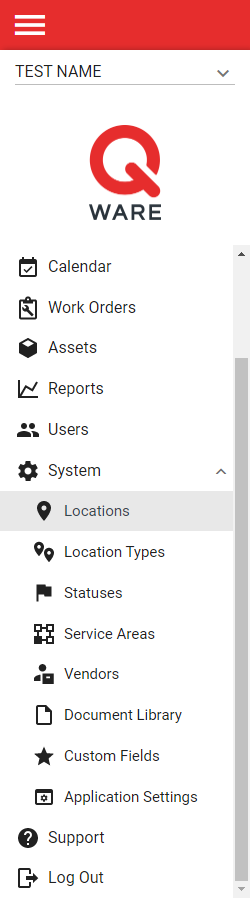
1. Log in to your Q Ware application and navigate to System -> Locations.
2. From the location management interface, click the red create button at the bottom right hand side of the screen.

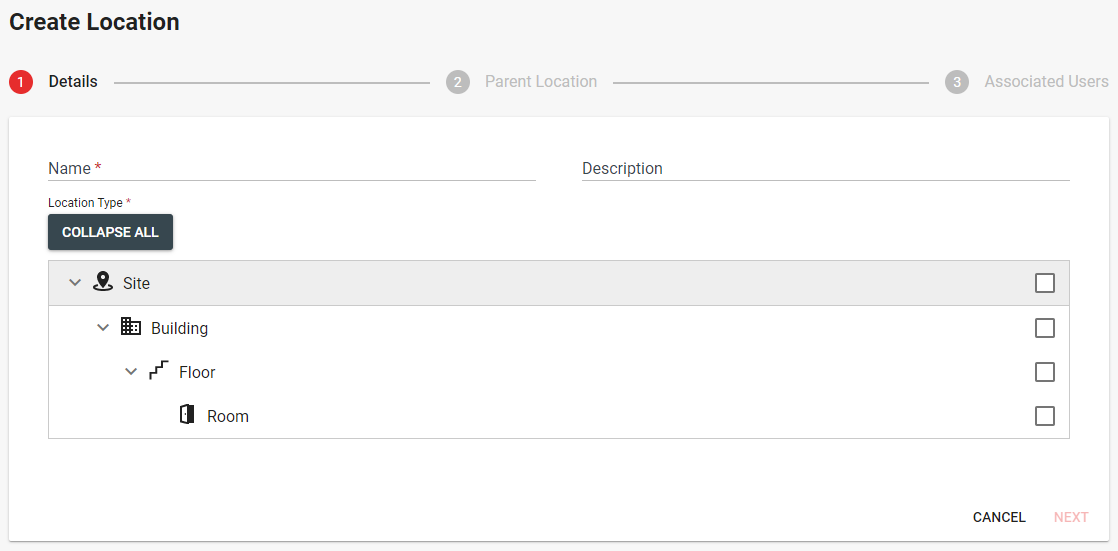
3. Complete each step of the location create form. Make sure to fill in all required fields. There are 3 steps to create a location. The steps include:
- Details - the name, type, and description of the location
- Parent Location - the parent location of the location (the parent must have a location type that is an immediate parent of the type assigned to the location i.e a room can only exist under a floor in the hierarchy)
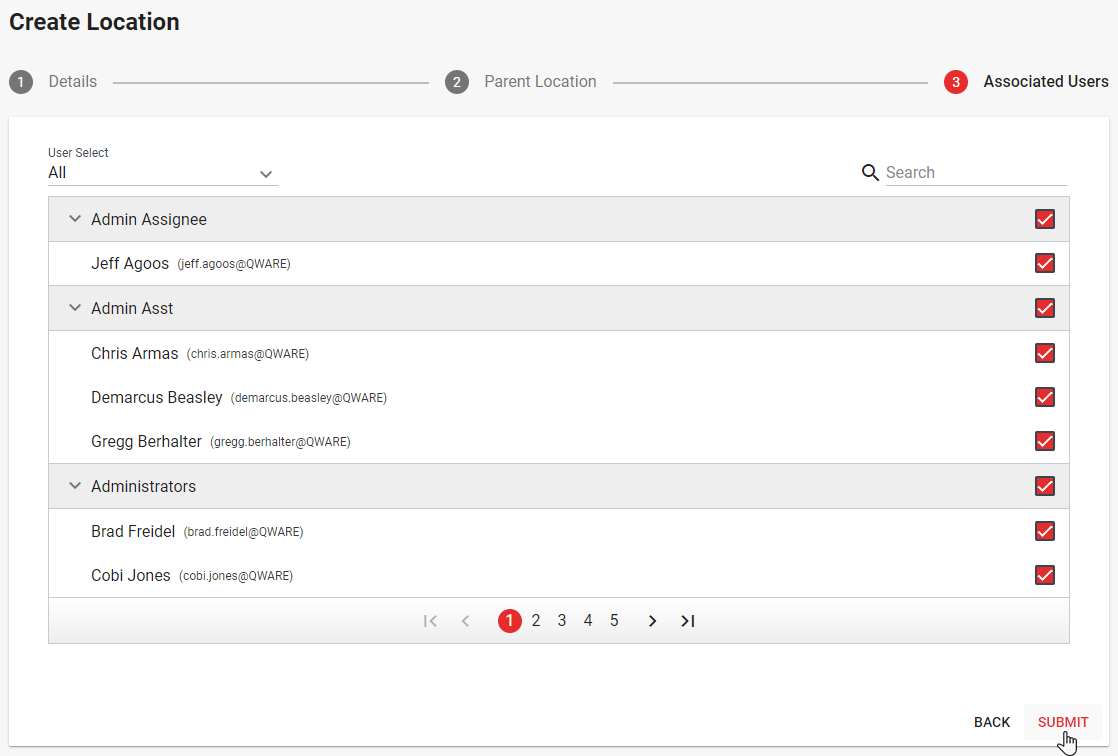
- Associated Users - the users that will be able to access the location
4. When complete, click submit to create the location and return to the location management interface.
Comments
0 comments
Please sign in to leave a comment.